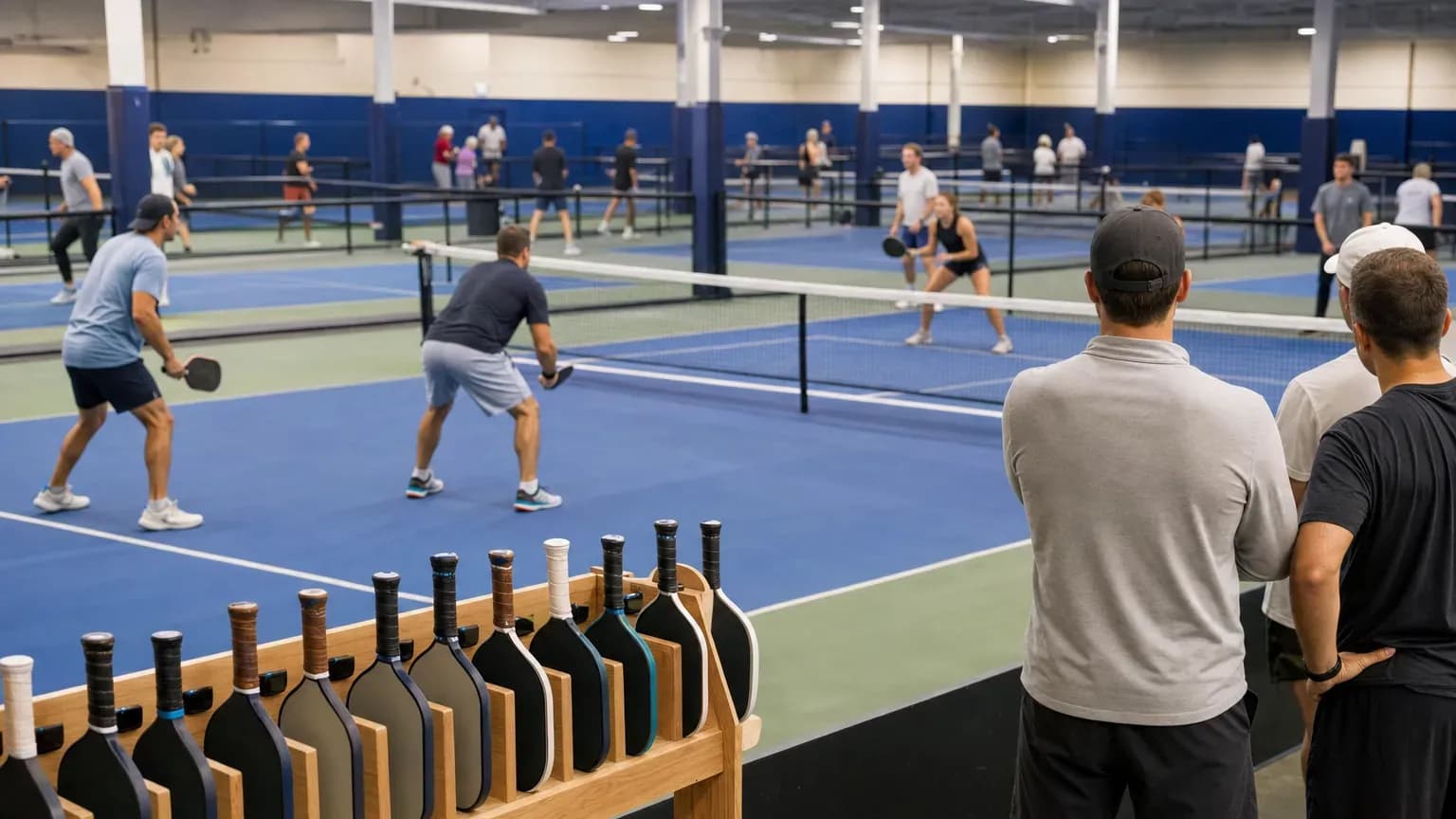
Open play pickleball is a drop-in session where players arrive alone or in pairs, join a shared queue, and rotate into doubles games as courts free up. To run it well as an operator, you need four things: a rotation system everyone understands (paddle stacking, a rotation board or a queue app), a player-to-court ratio of about six to eight per court, sessions grouped by skill level once demand allows, and a drop-in price that earns at least what the same courts would as rentals. Add one host or court monitor for busy sessions and posted rules, and most of the friction disappears.
This guide is for people who run courts, not for players learning the etiquette. It covers the rotation formats, how to set up skill-level sessions, the capacity math, pricing and staffing, plus a posted-rules template you can adapt.
Why open play matters to a facility
Open play does three jobs that private court rentals don't:
- It brings in single players. Someone without a regular foursome can't book a court, but they can show up to open play.
- It feeds your other programs. Open play regulars become league players, lesson clients and private renters once they find a group.
- It fills hours that don't rent. Weekday mornings and early afternoons are hard to sell as private court time, but retirees and shift workers will come to a drop-in session.
The risk is that it eats prime-time court hours for less money than rentals, or that it gets crowded and unfriendly. Most of this guide is about avoiding those two problems.
Rotation formats
The rotation system decides who plays next. Choose one per session, post it, and stick to it.
Paddle stacking
Players put their paddle in a rack, a slotted board or a line along the fence when they arrive. When a court opens, the next four paddles go on. When a game ends, those four players put their paddles back at the end of the line. Partners who want to play together place their paddles side by side.
- Works best for: 8 to 20 players on 2 to 4 courts.
- Pros: Costs almost nothing and everyone understands it.
- Cons: Paddles get moved, people argue about who was next, and when many people use the same paddle model nobody can tell whose is whose. Ask players to mark their paddle with a name tag or colored tape.
Winners and challengers
This variation uses two racks: one for players coming off a win, one for everyone else. Winners split and pair with new players from the other rack. It keeps games competitive at higher levels but can frustrate beginners, who spend more time in the second rack. Use it for advanced sessions only.
Rotation board
A whiteboard or magnetic board lists each court with columns for "on court" and "next up." Players write their names (or move a magnet) into the next open group of four. A staff member or volunteer can manage the board during busy sessions.
- Works best for: 16 to 40 players, or sessions with a host.
- Pros: Easy to see the whole queue, easy for staff to sort out disputes.
- Cons: Needs someone to keep it honest when it gets busy.
Four-on, four-off (court stacking)
Each court has its own waiting group. Four play while the next four wait at the bench for that court. When a game ends, all four leave and the waiting four step on. It's simple and fair, but players tend to stay with the same people all session, which can make it feel cliquey.
Queue apps
Several apps let players check in on their phones and get called to a court. They help most for large sessions (more than about 30 players) and for facilities that want to track attendance. Test any app with a few regulars before rolling it out to everyone, and keep a paper backup for the first few weeks.
Comparing the formats
Format | Best group size | Equipment | Staff needed | Mixes players well | Main problem |
|---|---|---|---|---|---|
Paddle stacking | 8–20 | Paddle rack | No | Yes | Disputes over order |
Winners and challengers | 12–24, advanced | Two racks | Helpful | Partly | Beginners wait longer |
Rotation board | 16–40 | Whiteboard or magnets | Helpful | Yes | Needs policing when busy |
Four-on, four-off | Any | None | No | No | Same groups all session |
Queue app | 30+ | Players' phones | For setup | Yes | Learning curve |
How many players per court
Doubles puts four on each court. The number of players waiting decides how much people actually play, and that's what makes them come back or not.
A recreational doubles game to 11 points (the standard game length per the USA Pickleball rulebook, win by 2) usually takes about 12 to 20 minutes. The table below assumes about 15 minutes, or four games per court per hour, including changeover.
Players per court | Playing at once | Waiting | Share of time on court | Games per player in a 2-hour session |
|---|---|---|---|---|
4 | 4 | 0 | 100% | about 8 |
6 | 4 | 2 | about 67% | about 5 |
8 | 4 | 4 | about 50% | about 4 |
10 | 4 | 6 | about 40% | about 3 |
12 | 4 | 8 | about 33% | under 3 |
Rule of thumb: aim for six to eight players per court. At ten or more per court, players notice the wait, and you'll hear about it. That's the point to add a court, split the session by level or cap registration.
Worked example: a 4-court morning session
Assume 4 courts, a 2-hour session, 15-minute games and 30 players.
Item | Calculation | Result |
|---|---|---|
Games per court | 2 hours × 4 per hour | 8 games |
Total games | 8 × 4 courts | 32 games |
Player-game slots | 32 games × 4 players | 128 slots |
Games per player | 128 ÷ 30 players | about 4.3 games |
Players per court | 30 ÷ 4 | 7.5 |
That's within the comfortable range. At 44 players, the same session drops to about 3 games per player, and a fifth court or a second session is worth adding.
Skill-level sessions
Mixed-level open play is welcoming but often frustrating at both ends: strong players get bored and new players get overwhelmed. Once a session fills on a regular basis, split it.
A common split for a facility with steady demand:
- Intro or beginner (under 3.0): Ideally with a host who explains rotation and basic rules. Slower pace, shorter waits.
- Intermediate (3.0 to 3.5): Usually your largest group. Run it at the most popular times.
- Advanced (4.0 and up): Smaller group. Consider winners and challengers.
- All levels: Keep at least one per week so friends of different levels can play together and new players have a way in.
How you check level is up to you. Some facilities use self-rating with a posted description of each level, others ask for a rating from DUPR or another system, and some have staff move players who are clearly in the wrong session. Our guide to the pickleball rating system explains how those ratings compare. Whatever you choose, post it and apply it the same way every time.
Pricing open play
Typical indoor drop-in prices run roughly $8 to $20 per player for a session of about two hours, based on published rates at indoor clubs across the US. Prices are lower at off-peak times and in markets with plenty of outdoor public courts, and higher in dense metro areas. Many clubs give members free or reduced open play, and some sell punch cards (for example, 10 sessions for the price of 8 or 9).
The question that matters is whether open play earns as much as the courts would as rentals at the same time.
Item | Assumption | Result |
|---|---|---|
Courts and length | 4 courts, 2 hours | 8 court-hours |
Rental alternative | $40 per court-hour (assumed) | $320 |
Open play at 24 players | $12 each | $288 |
Open play at 30 players | $12 each | $360 |
Break-even attendance | $320 ÷ $12 | about 27 players |
In this example, open play needs about 27 players to match rentals. That's fine on a weekday morning, when those courts might not rent at all. In prime time, rentals or leagues usually win. Our pickleball court rental pricing guide covers how to set the rental side of that comparison.
A few pricing practices that work:
- Charge per session, not per hour. Players understand it and it's simpler at the door.
- Price by time of day. Cheaper mornings and early afternoons, full price evenings and weekends.
- Take payment before play. Pay at the desk or online before the session, not after.
- Cap the session. If your courts fit 32 players comfortably, stop at 32. A crowded session costs you more in lost regulars than the extra fees bring in.
Staffing
You don't need a coach on every session, but most busy sessions need someone in charge.
- Host or court monitor. Greets newcomers, explains the rotation, settles disputes and keeps the board moving. One per session of about 20 players or more.
- Front desk. Checks people in and takes payment. At a smaller facility this can be the same person as the host.
- Ambassadors or volunteers. Experienced regulars who welcome beginners in exchange for free play. Write down what they're responsible for so it doesn't become a clique.
For beginner sessions, a host who can teach basic rules is worth paying for. Those players are your future league and lesson customers.
Posted rules template
Post these by the courts and on your website. Adjust the details to fit your facility.
- Check in first. Pay at the desk before joining the rotation.
- Rotation: We use paddle stacking. Place your paddle at the end of the rack. Partners place their paddles together.
- Games: One game to 11, win by 2. Everyone comes off after one game.
- Next up: The next four paddles take the next open court. Be ready when called. If you're not there, your paddle moves back one group.
- Level: This session is for 3.0 to 3.5 players. Ask the host if you're not sure.
- No court holding. Don't save a court or a spot in line for someone who isn't here yet.
- Be welcoming. Play with anyone who's next. New players are how open play grows.
- Questions or disputes: Ask the host. Their call is final.
Scheduling open play alongside rentals
Open play competes with private bookings, lessons and leagues for the same courts, so put it on the court calendar like any other booking. Decide which courts and times belong to open play each week, keep them consistent so players can build a routine, and leave the rest open for rentals. For a fuller picture of how open play fits in a pickleball club's revenue mix, see how to start a pickleball business.
Running open play with booking software
In Sports Booking Management, you can block your open play courts as recurring bookings on the days and times you run sessions, so those courts don't show as available on your public booking page while the remaining courts stay open for rentals. Each court can have its own hours and rates, and staff can be given admin or booking roles to manage the calendar. The software handles court reservations and payments for bookings. It doesn't manage the player rotation or per-player check-in, so pair it with your paddle rack, board or queue app for the session itself.